
About the author

Marco Hrlić
Introduction
When you ask an LLM a question it’s a common expectation to have it search for the latest relevant information. All major model providers have it when you use their web interfaces. Using an API however, is a different thing because via the web you use a provider’s entire product built on top of an LLM, and via an API you sometimes get to choose what you use. Depending on the model provider, model and the API provided, you can instruct the model to use web search, either via tools or in the prompt text directly. However, options on which search tool to use, and how, is limited to configuration options the model provider gives you. So sometimes you have (or want) to implement the search tool yourself.
Building a search tool is not just issuing the search action. We’re in all-manual land now and there’s a couple of other things hidden under a web interface we also have to build. Namely:
- Fetching the first couple of results
- Creating a summary of the results (with an LLM of course)
- Using these summaries to augment the user query that is sent to the LLM
These are going to be the building blocks of our program later on.
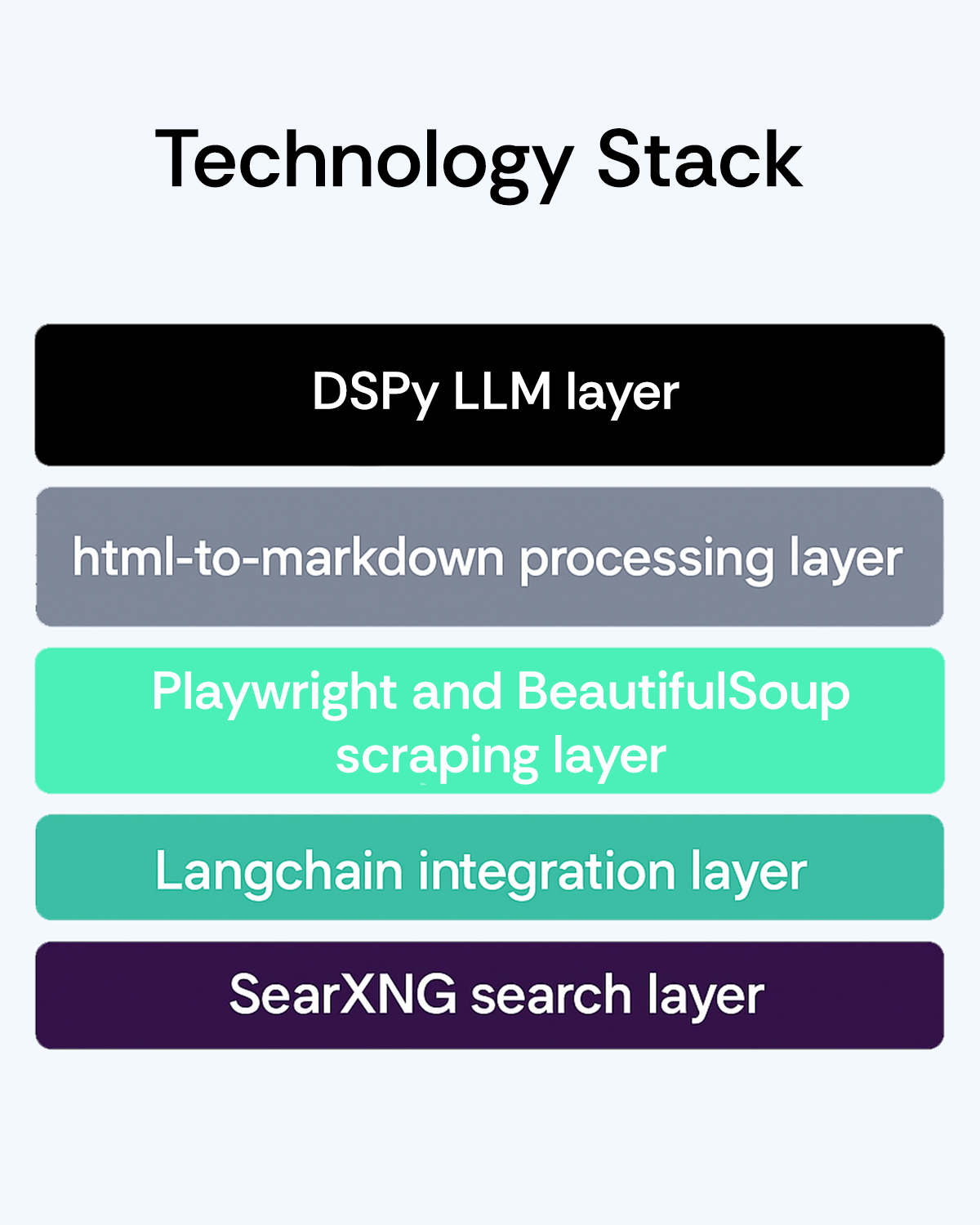
We’re going to use SearXNG for searching, via a Langchain community module, DSPy for prompting, Playwright for browsing, BeautifulSoup for scraping and html-to-markdown Python library for, well, transforming html to markdown – which LLM-s prefer to HTML.
The problem with major search engines
Once you decide you’re going to build all of it yourself, you’re first tasked with selecting a search engine. Google Custom Search API or an equivalent from other providers might be an obvious choice, but it does come with a few problems:
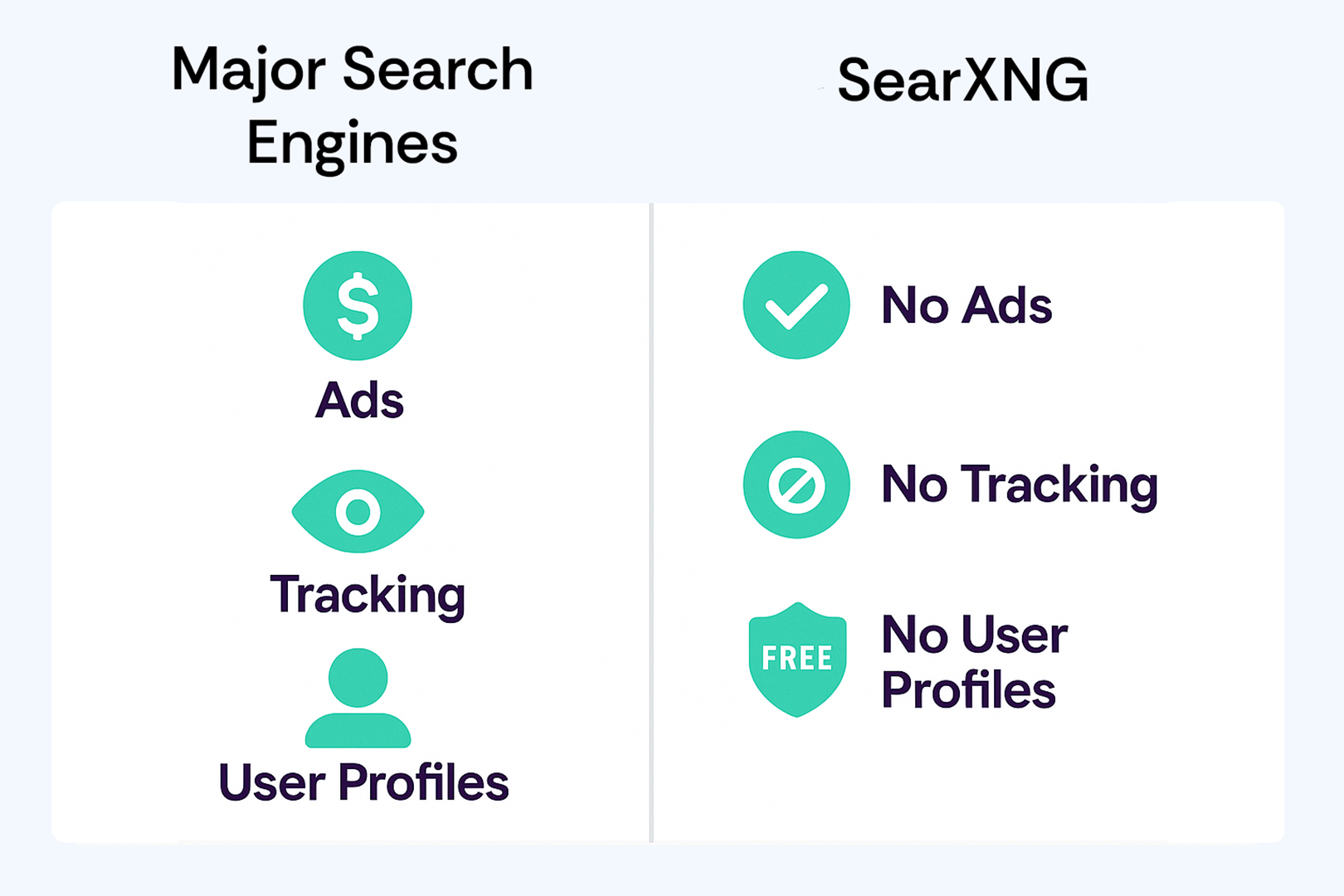
- It’s paid for large amounts of search queries
- You have to create an account which will be tracked and profiled, meaning your search results will be adjusted for you based on your previous searches
And that’s something we can’t allow, cause it will lead to one user’s search results being biased with the previous users search query.
SearXNG to the rescue
Luckily, there’s a free engine to use, if you’re willing to host it yourself. It is a meta-search engine (that uses other engines), gives other engines only your IP address and has other clever ways to get around the tracking and profiling that big engines do. It comes packaged as a docker container available on Docker Hub, under searxng/searxng name, and it’s free to use (if you ignore the hosting receipt).
Simplest way to start it, for prototyping needs, is via this command:
docker run --name searxng -p 8888:8080 -d docker.io/searxng/searxng:latest
In Python, it’s quite straightforward to perform a search, by using a SearxSearchWrapper located inside the very rich langchain_community package. There are a couple of configuration options and search methods to use, docs available here.
We’ll use the results() method which gives us not just the search results but also the metadata, out of which we’re only going to use the search result link later on.
import os
from langchain_community.utilities import SearxSearchWrapper

query = input("Query: ")
search_module = SearxSearchWrapper(searx_host="http://localhost:8888/")
results = search_module.results(query=query, num_results=5)
Getting the results
In order to create the context for RAG, we’ll launch a headless Firefox browser with some help from Playwright, and iterate through search results. We’ll navigate to the link from the search result metadata, and scrape the site with BeautifulSoup. Then, we’ll use the power of html_to_markdown to transform the HTML to Markdown for better usability in an LLM context.
Inside the following snippet there’s also an input for the user running the program if they want to include a search result in the context, here only for prototyping purposes.
import dspy
import os

from playwright.sync_api import sync_playwright
from bs4 import BeautifulSoup
from langchain_community.utilities import SearxSearchWrapper
from html_to_markdown import convert_to_markdown

with sync_playwright() as pw:
    browser = pw.firefox.launch(headless=True)
    context = browser.new_context()
    summaries = []

    for r in results:
        link = r['link']
        answer = input(f"Pull data from [{link}]?")
        if answer.lower() in ["y","yes"]:
            page = context.new_page()
            page.goto(link)
            soup = BeautifulSoup(page.content(), 'html.parser')
            md = convert_to_markdown(soup, strip=["svg"])
Prompting the LLM
As mentioned previously we’ll use DSPy for prompting. We could’ve used langchain directly, but we kinda grew into DSPy fans over the last couple of months, given how powerful the library is.
First we need to specify 2 new DSPy signatures. You can find more information on their site, but suffice to say that a DSPy signature is a declaration of inputs and outputs, each described textually and structuraly, which combined with python-doc create instructions for the LLM.
It’s basically a program declaration. Note that every DSPy signature must extend dspy.Signature.

Summarization
MD_Signature is the first Signature, which takes a markdown version of the page and creates a summary. In the class level python-doc we instruct the LLM to create a summary of the input string following 2 simple instructions. It’s wise here to use input and output names declared as class members.
import dspy

class MD_Signature(dspy.Signature):
    """
    Generate a detailed summary of the input markdown. Follow these instructions:
        1. Filter out unnecessary information
        2. Summary must be in markdown format
    """
    markdown: str = dspy.InputField(desc="Markdown version of a web page")
    summary: str = dspy.OutputField(desc="A detailed summary of the input. Must be in markdown form")
Final RAG
QuerySignature is the second Signature, which takes the original user query, the summaries, and outputs an answer.
import dspy
from typing import List

class QuerySignature(dspy.Signature):
    query : str = dspy.InputField(desc="User query")
    summaries : List[str] = dspy.InputField(desc="A list of markdowns based generated from websites")
    answer : str = dspy.OutputField(desc="Answer to the user query based on the summaries provided.")
Creating the prompts
With Signatures defined, we’re half way through.
Once you define a Signature, you have to instruct the LLM how to run it. There are several ways (modules in DSPy parlance) to choose from, and here we’re going to use dspy.ChainOfThought. Internally, it mostly boils down to adding the following prefix to the prompt the user passes in: “Let’s think step by step in order to.”
We prefer this module to a simple dspy.Predict which just forwards the user prompt, because LLMs think as much as they say – meaning chain of thought technique will almost always produce superior results. However, use with care because output token expenditure is higher.
markdown_summarizer = dspy.ChainOfThought(MD_Signature)
answer_query = dspy.ChainOfThought(QuerySignature)
Running the prompts
Back to our for loop: it needs to be updated with actual summary creation calls, and completed by the invocation of the summary-augmented main query.
summaries = []
for r in results:
    ...
    results = markdown_summarizer(markdown=md)
    summaries.append(results.summary)

results = answer_query(query=query, summaries=summaries)
print(f"reasoning={results.reasoning}")
print(f"answer={results.answer}")
And that’s it!
There are other alternative bits and pieces available for this task if you fix on a model provider and use proprietary client libraries, and especially if you move to Typescript, but we hope you enjoy this technology cocktail :)
For full program, click here.


