
About the author

Zvonimir Knežević
Quality Assurance Engineer
The steps involved in creating software include designing, implementing, and testing its various parts. These days, companies can deploy new code almost daily while maintaining speed and quality. With this in mind, you need to consider the ‘cost’ of implementing any form of quality assurance. A balance has traditionally been achieved through a combination of manual and automated testing. Enter AI, which promises to be a game changer when it comes to automation, quality control in software testing, and the overall software testing landscape.
Previously, trying to access AI benefits meant having to design, train, and deploy an AI model. But, this required either massive funds or access to an exclusive team of experts. All this made the use of AI in daily activities an expensive and exclusive endeavor.
With the release of publicly available LLMs like ChatGPT and Gemini, as well as generative models and methods to fine-tune AI Chatbots, the democratization of AI has begun. This means that the use of LLMs is no longer limited to data scientists and AI scholars. It has become accessible and advantageous for those of us who work in testing and software development.
Software testing is crucial. Good testing helps challenge assumptions and educate our teams on how our products truly behave in given situations. The more we test, the more we learn. But, as most professional testers will testify, there is never enough time to test everything we want.
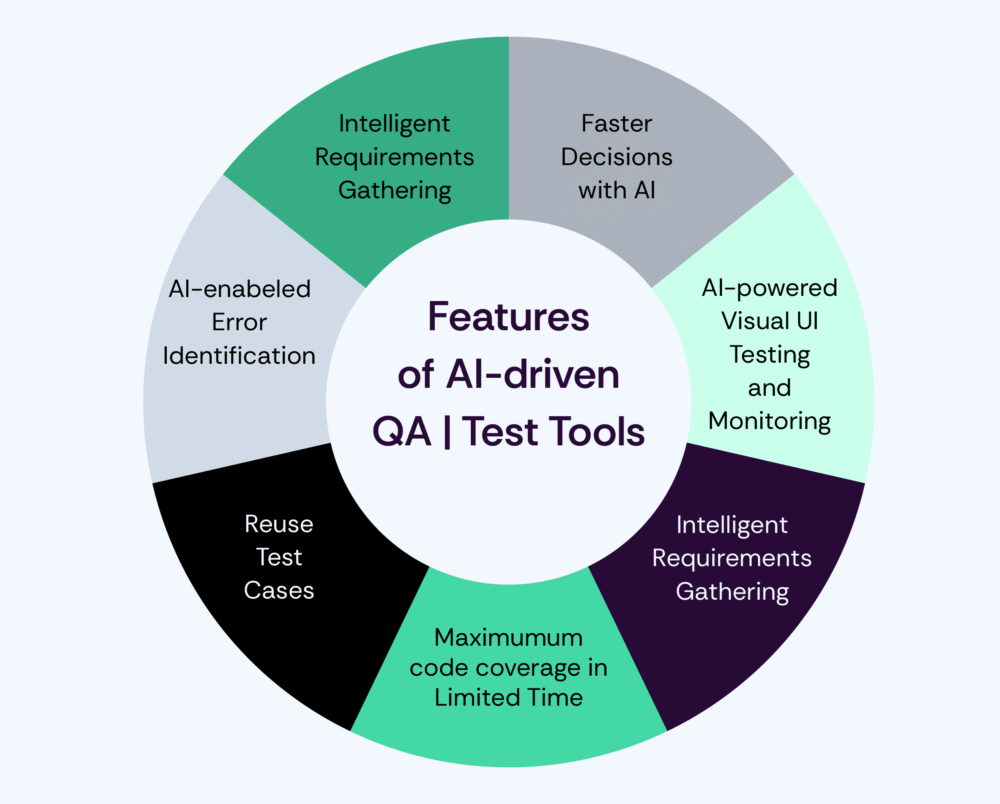
How can AI help in all stages of testing
Artificial Intelligence (AI) is transforming software testing by enhancing efficiency, accuracy, and adaptability. Following are the areas in which we can expect to accelerate software testing:
1. Test Case Generation
In the past, creating cases was not a software tester’s favorite task. Writing test cases manually takes between 30-50 minutes, depending on the test scenarios that we want to test. And that is a lot of time that you could invest in something else. But with AI, you can speed this up a great deal. A tool that I can recommend here is an AI test case generator which can be integrated with Jira or Microsoft Azure. It will generate test cases based on the created ticket and a description that you provide. (https://www.aitestcasegenerator.com/)
2. Test Script Automation
AI tools can automatically modify test scripts as the application user interface or functionality changes. It can also improve UI validation by identifying subtle visual discrepancies between the expected output and the actual one. This guarantees consistent visual representation and UI rendered across devices, browsers, and environments. Self-Healing Test Scripts, in my opinion, are the most powerful thing you can do with AI. These test scripts can detect when an application’s UI or functionality has changed and automatically update or fix the test script without human intervention.
Testers no longer need to manually update scripts to manage every tiny modification. For example, we want to test some basic contact forms and we have automated tests for the contact form that were brittle. Minor changes in the UI, such as renaming the button from “Send Message” to “Submit”, would cause tests to fail. And this would necessitate manual updates to the test scripts. After the test automation framework integrates self-healing capabilities, the process will detect test failure due to missing the “Send Message” button. It will also analyse the updated DOM and locate the “Submit” button based on attributes and continue the test execution with no manual intervention. One of the tools that I can suggest here is DogQ. (https://dogq.io/)
3. Bug Detection and Prediction
Bugs are a natural part of software development. Whether in web or mobile app development, undetected bugs can cause crashes, poor user experience, and financial losses. Enter AI, which evaluates code through inspection, not execution. Algorithms can detect unusual and bug-related patterns in code. It’s helpful for finding and flagging syntax, security, and logical errors. AI-powered bug detector tools can automatically identify bugs without predefined test scripts – thus greatly speeding up identification time. Rather than waiting until issues emerge, AI-powered test automation tools can continuously track code changes and run various scenarios to identify bugs before they impact end-users. Try out this AI tool. (https://contextqa.com/)
4. Performance Testing and Optimization
Artificial Intelligence simplifies performance, load, stress, and scalability testing. It enhances the precision of testing, reduces manual effort, and thus accelerates performance validation cycles. This is a process where intelligent algorithms can simulate realistic traffic patterns in software and predict the behavior under certain conditions to identify performance bottlenecks. This enables faster and more robust performance testing. Choosing the right tool depends on your project’s particular needs and objectives. Imagine an AI that can dynamically adjust load parameters in response to real-time performance feedback? Well, AI can do that. This adaptive approach ensures the system is tested under a range of conditions, offering more insight into its limits and behavior under varying levels of stress. (https://www.lambdatest.com/kane-ai)
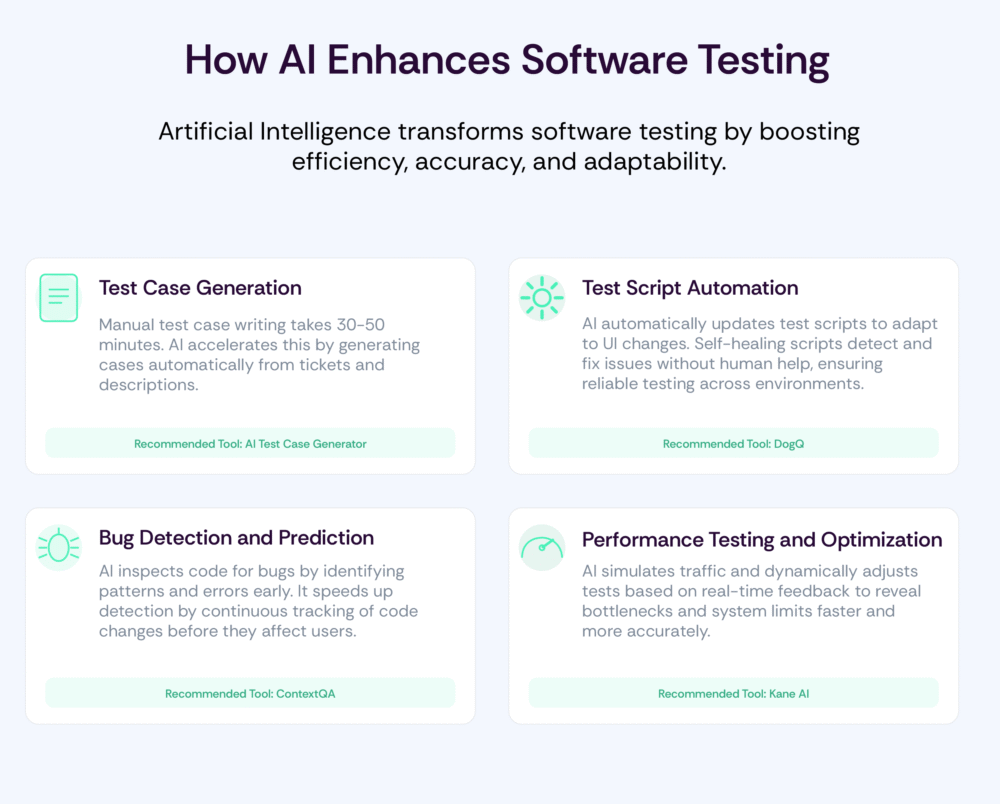
Accelerating and improving Testing using AI tools
There are a few AI tools that you can use on a daily basis for your testing purposes. The first one that I want to mention is Testcraft. What is Testcraft? It is a browser plug-in based on GPT4 and really easy to install and use. It can generate test scripts (JavaScript, Typescript, Java, C# or Python) and check accessibility on the web product that you would like to test. We can ask for test automation scripts like Playwright, Cypress and Selenium. (https://home.testcraft.app/)
Next is Windsurf (ex Codeium). A modern coding superpower that can see auto complete 10 steps ahead. It’s a code completion tool. It offers an inline code generation similar to Git Copilot. It has a feature to generate code, explain, refactor and translate code. You can use the extension for known IDE and it’s free for a single user. (https://windsurf.com/)
On their official web page they say: “Never test your API manually again” and “Still writing tests in 2025?” Kusho is the next AI tool that can speed up your testing. It can transform API spec into automated tests and that’s really cool. You can manually prompt API tests. A big advantage is that Kusho learns and adapts to your API specs and code base. (https://kusho.ai/)
This AI tool also can bring your testing on another level. It’s called Mabl. Mabl simplifies the creation and maintenance of tests with its AI-powered platform. It automates repetitive tasks and uses machine learning to improve test reliability over time, making it a great tool for scaling automation testing efforts. (https://www.mabl.com/)
And last but not least Testim. Testim uses AI to automate end-to-end tests, focusing on the ability to adapt to UI changes without requiring constant updates. Its self-healing features make it easier to maintain tests as the application evolves. Testim will make your testing part of your release process and improve the quality of testing. (https://www.testim.io/)
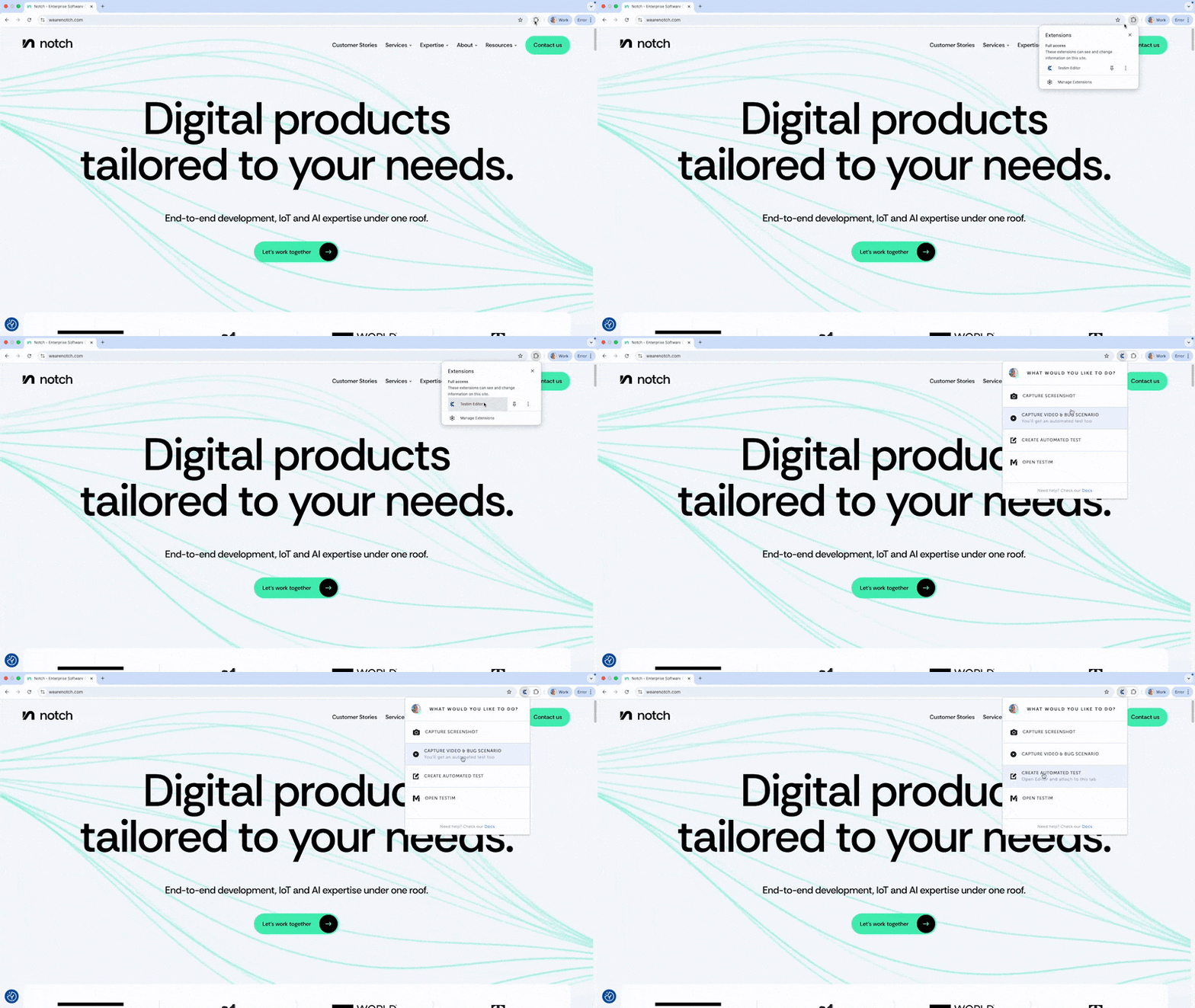
I will give you an example of Testcraft, a very powerful extension for web applications. It’s easy to install just by downloading a plugin. Let’s take our official Notch web page and pick some element, in this case i will pick homescreen.

There are three options available here. Generate Test Ideas, Automation and Check Accessibility. So let’s start with the first option, Generated Test Ideas, after we choose that the Testcraft will start generating Positive, Negative and Creative test scenarios.
Positive Tests:
- Verify that the heading “Digital products tailored to your needs.” is displayed prominently and is easy to read.
- Check that the description “End to end development, IoT and AI expertise under one roof.” is clearly visible and provides relevant information about the services offered.
- Ensure that the button labeled “Let’s work together” is clickable and directs users to the correct contact page.
- Validate that the button is accessible and can be activated using keyboard navigation.
Negative Tests:
- Attempt to click the “Let’s work together” button when the user is offline and verify that an appropriate error message is displayed.
- Test the behavior when the user tries to access the contact page with an invalid URL and check for a proper error response.
- Check how the interface behaves when JavaScript is disabled; the button should not function, and the user should receive a message indicating that JavaScript is required.
- Verify that no information is displayed when the heading or description is removed from the page; the interface should not break.
Creative Test Scenarios:
- Simulate a screen reader navigating the page to ensure that visually impaired users can understand the heading and description.
- Test the responsiveness of the button on different devices (mobile, tablet, desktop) to ensure it maintains functionality and visibility across screen sizes.
- Create a scenario where the user inputs a query in a search box (if applicable) before clicking the button, and verify that the search results are relevant to the services mentioned in the description.
- Explore the impact of changing the text of the button to a different language and check if the functionality remains intact and the translation is accurate.
- Assess the user experience when the button is clicked multiple times rapidly to see if it leads to multiple requests or if it is disabled after the first click.
Next, what is powerful and grabs my attention is creating automation tests. If we click automation it will generate an end-to-end test for us and we can choose which language and which framework we want to use. We can pick between playwright, cypress or selenium and choose what language we want. It actually creates very good tests with page object modelling and positive/negative test scenarios.

As you can see it uses gpt-4o-mini. GPT- 4o and GPT- 4o-mini are both advanced language models based on the GPT-4 architecture, known for their natural language processing capabilities.
And lastly, what we can do with TestCraft is check the accessibility function. It will provide us with suggestions and conformance for our web page. Here is just one small example that we will get in output:
Conformance Level AAA -

**Issue:**

The heading level may not be used appropriately based on the surrounding content structure.

**Criteria:** 1.3.1 Info and Relationships

**Solution:** Ensure that the heading structure is logical and follows a hierarchical order, using headings (h1, h2, etc.) appropriately.
It will provide us with the issue, criteria and solution. Level AAA is like a high level of accessibility compliance, there is also Level AA which deals with something medium and Level A which is minimum (basic) criteria.
Examples
Google uses AI to run thousands of automated tests across all devices. AI identifies bug patterns and recommends areas where manual testers should focus their efforts, significantly speeding up the whole process.
Netflix leverages AI to test their streaming infrastructure, predicting and preventing playback issues to ensure a smooth experience for millions of users.
Salesforce employs AI to run thousands of automated tests during the development cycle, catching bugs at “home”. AI tools also predict potential issues from code changes, helping QA to prioritize their efforts.

Conclusion
The use of AI tactics and tools is a major leap for software quality management across teams. AI results in greater test coverage, better performance efficiency, and higher quality software overall. As it emerges, AI will be a big driver of innovation in software testing. Teams will be better equipped to meet the challenges of modern software development, ensuring that the quality doesn’t slip through the cracks.


